Sync 2 and 3 no OEM display or blank screen from the console app
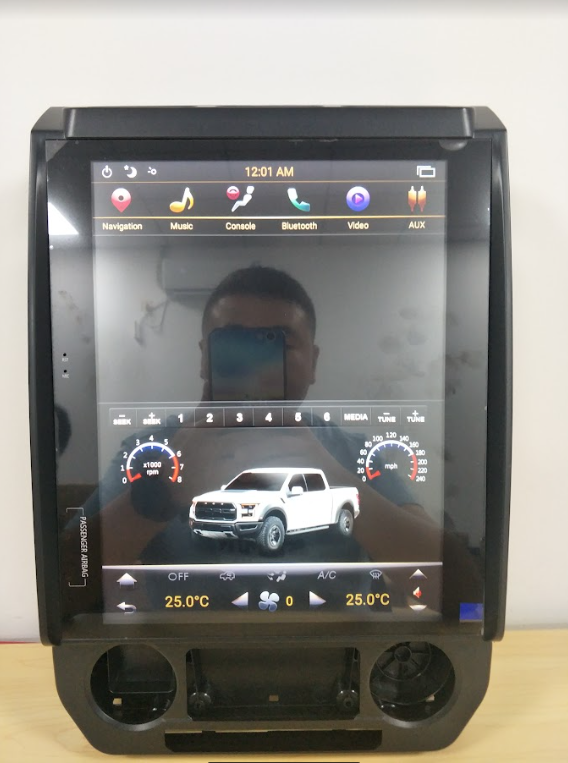
Step 1
1. Ask if the OEM UI works on OEM screen before installation.
- If yes, go to step 2.
- If no, fix the OEM system first, then install the PX6 unit.
Step 2
Things to check or guide how to connect the factory Sync module 2 or 3
- Once done with the installation of the OEM Sync 2 or 3 check the console application from the home screen if the OEM console display. If not, continue to step 3
Step 3
Checking the setting of the unit once we confirm the sync is connected
- We need to check the System information settings
- Settings
- System info - Press and hold || Password 7890
- Look for 8836 interface, the settings should be "ON"
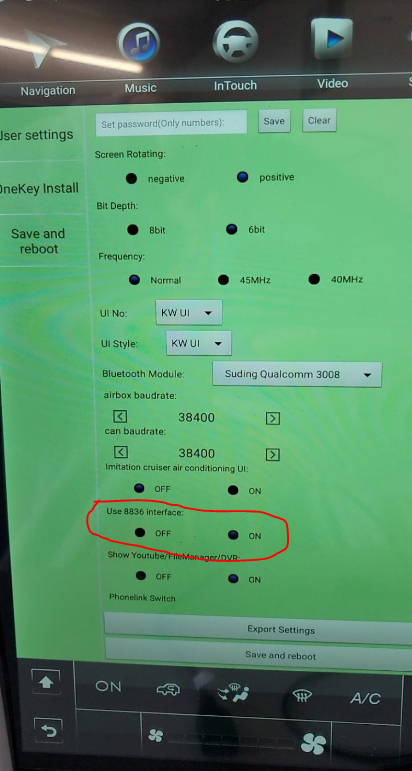
If the issue still persists please call our customer support to check the correct car type settings +13239179038
you can also schedule an appointment with our tech department by clicking this link Tech support. Make sure to secure your order number for assistance.
Was this article helpful?
That’s Great!
Thank you for your feedback
Sorry! We couldn't be helpful
Thank you for your feedback
Feedback sent
We appreciate your effort and will try to fix the article