- How to connect the 2011-2013 Dodge Durango unit refer to: https://youtu.be/doGQLAaCW9U
- How to connect the 2014-2022 Dodge Durango unit refer to: https://youtu.be/zuHa8saOUZo
- If on-screen AC control is not working, check if 8 pin connector with green and green/black or white and white/black wires is connected to the back of the unit.
- The 2011-2013 model needs to keep the original physical button on the bottom of the original unit. And the 2014-2022 model no need.
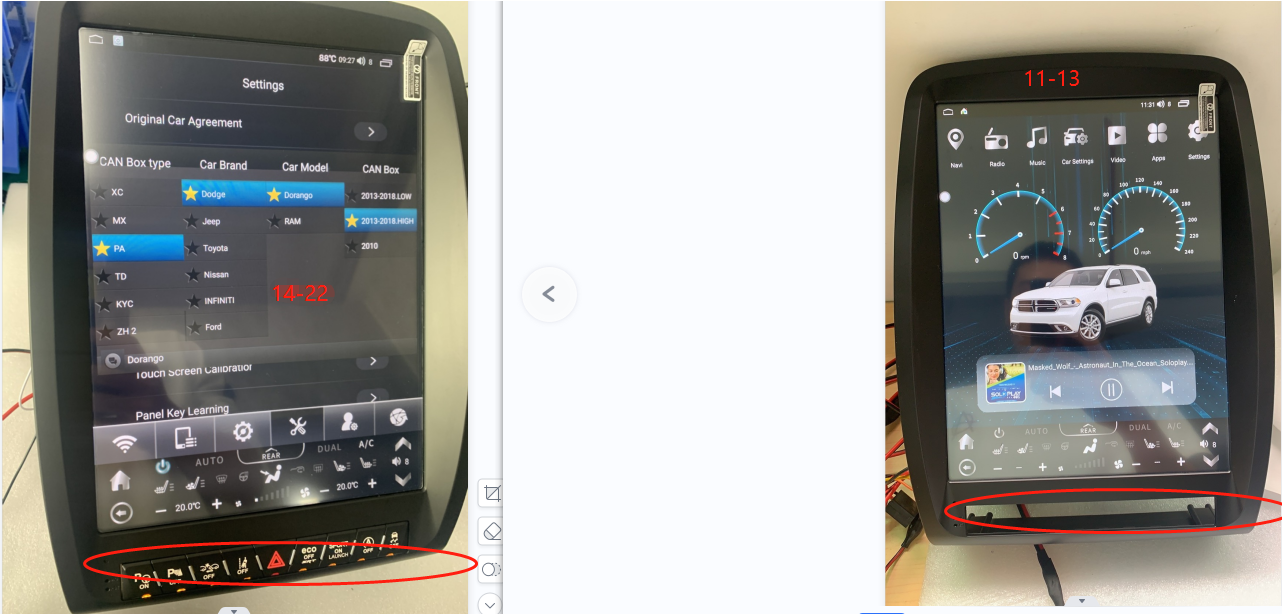
- For 2014 - 2020 model years, to retain OEM camera, connect male RCA labeled 'Camera' from the black connector connected to the vehicle and female RCA labeled 'CCD Camera'.
- The main harness for 2011-2013 is different from that of 2014-2022. If connectors not matching with OEM ones, you may need to request a different main harness.
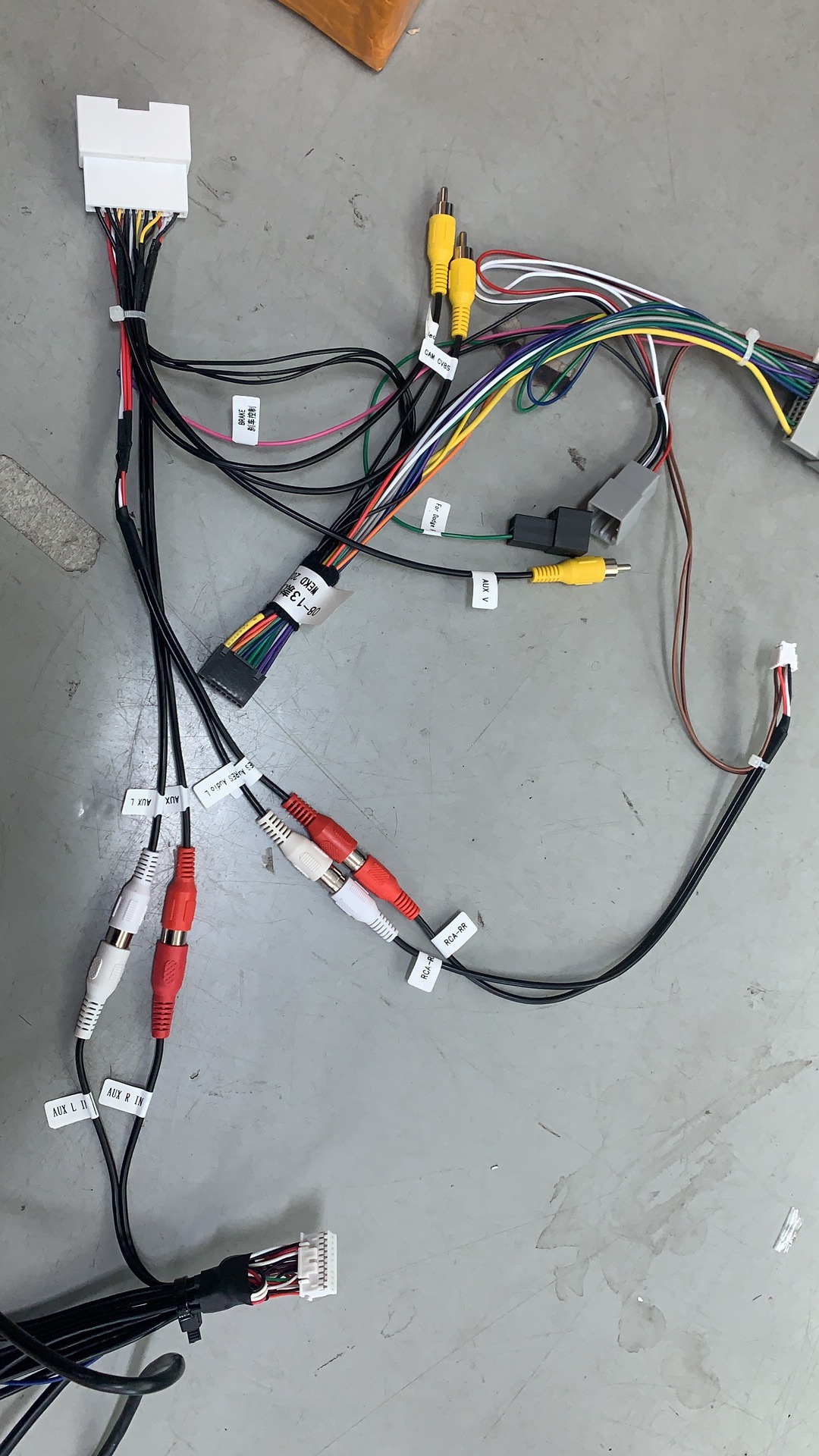
- No sound issue: 1. Please see the picture below to check if you have connected the audio cable correctly.
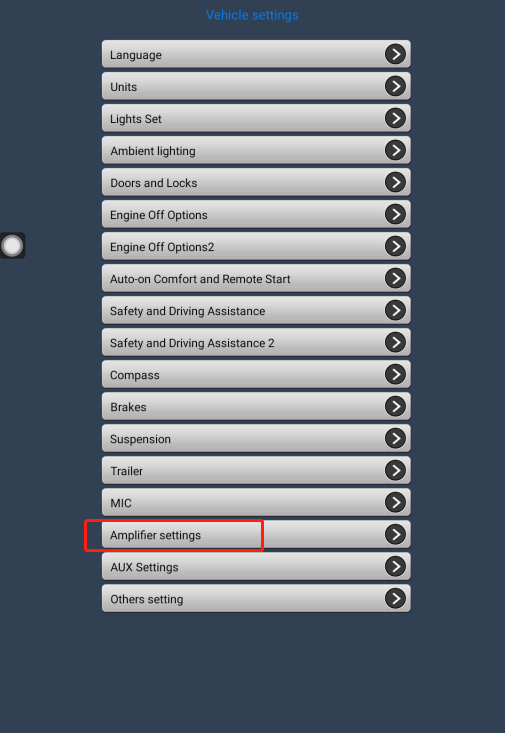
 2. Go to the car settings- amplifier settings- adjust the volume to 0 then back: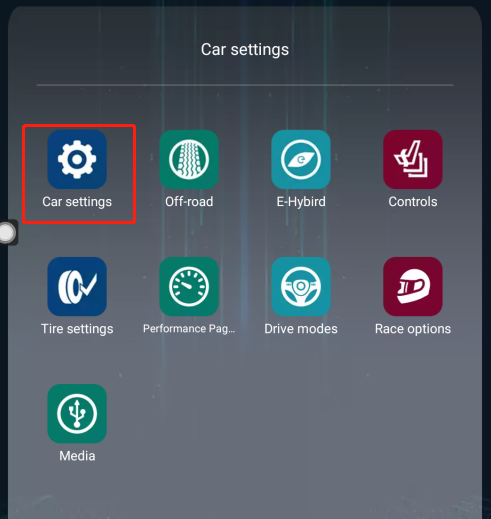
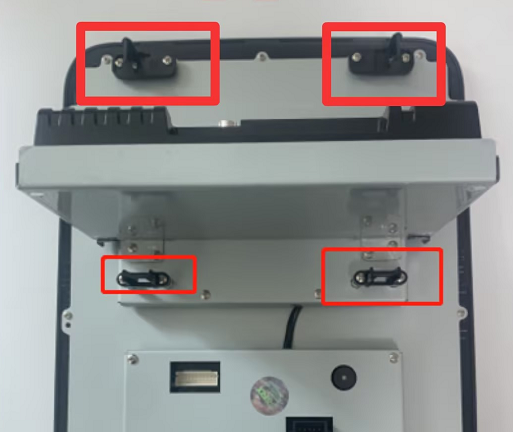
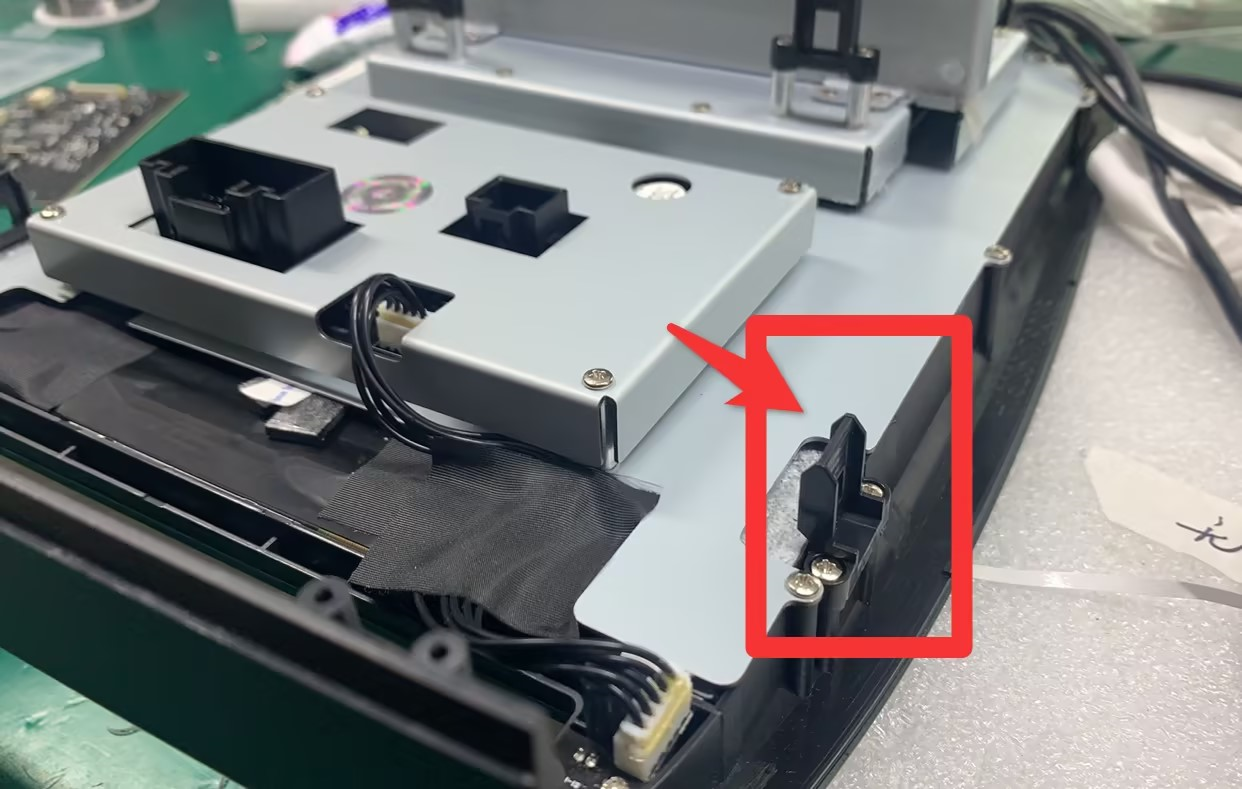
- For the 2011-2013 Dodge Durango, please put the buckles to the right places, like the picture below:
Was this article helpful?
That’s Great!
Thank you for your feedback
Sorry! We couldn't be helpful
Thank you for your feedback
Feedback sent
We appreciate your effort and will try to fix the article