-Google Play Services Keeps coming up with Error Stop
-Not able to Download apps (constant show Downloading, waiting)
-Not able to Log in to Google Play Store
-----------------------------------------------------
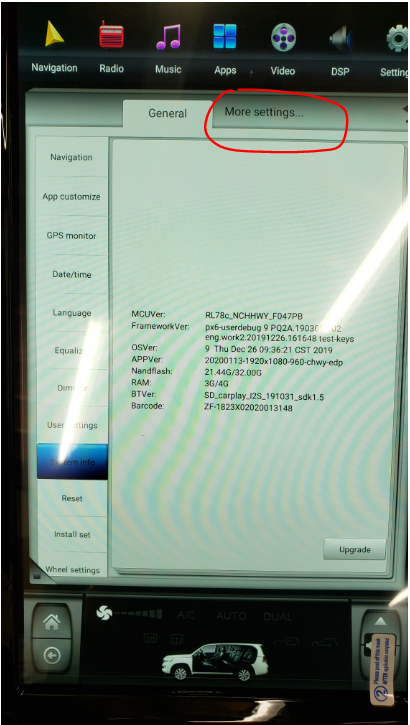
Settings (Gear Icon at the top)
More Settings (next to Genera)
Apps & Notifications / Apps
Google Play Store -
Force Stop, ok
Storage, Clear Data, -ok
Google Play Services -
Force Stop, ok
Storage, Clear Data, - ok
------------------------------------------------------
If still issue can go back to
Settings,
More Settings,
Apps & Notifications (Apps)
Google Play Store / Google Play Services
Top right corner of screen have 3 dots
can press to select Uninstall Updates
Un-install updates then try to open / download apps on
Google Play Store
----------------------------------------------------------
Apps / Apps & Notifications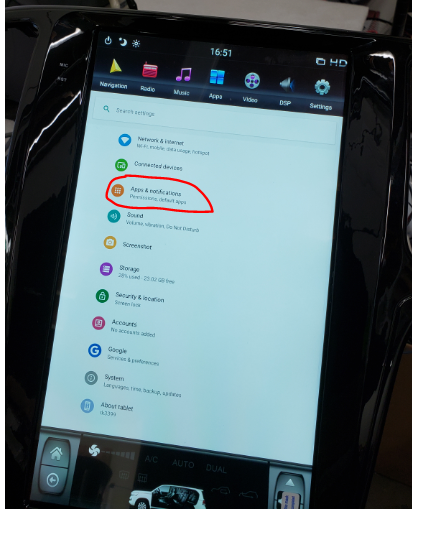
See all Apps
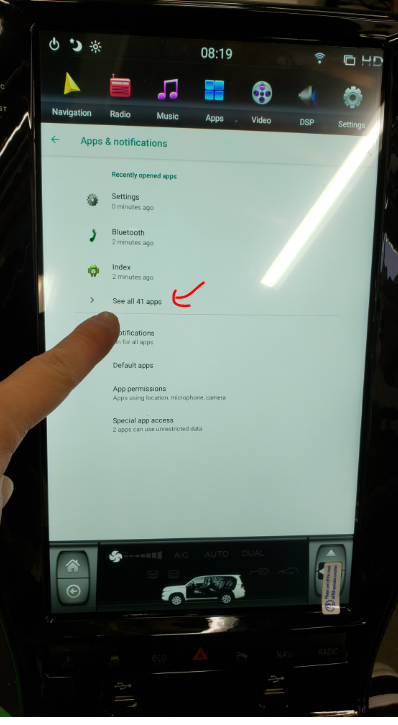
Do for Both (in Specified Order - Force Stop - Storage - Clear Cache - Uninstall Updates)
Google Play Store (Force Stop, Storage, Clear Cache, Uninstall Updates)
Google Play Services (Force Stop, Storage, Clear Cache, Uninstall Updates)
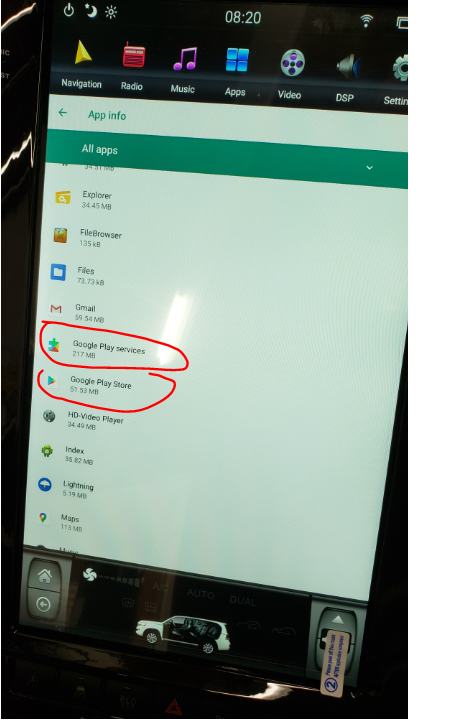
Steps 1 , 2 , 3
1 - Force Stop
2 - Storage, Clear Cache
3 - Uninstall Updates
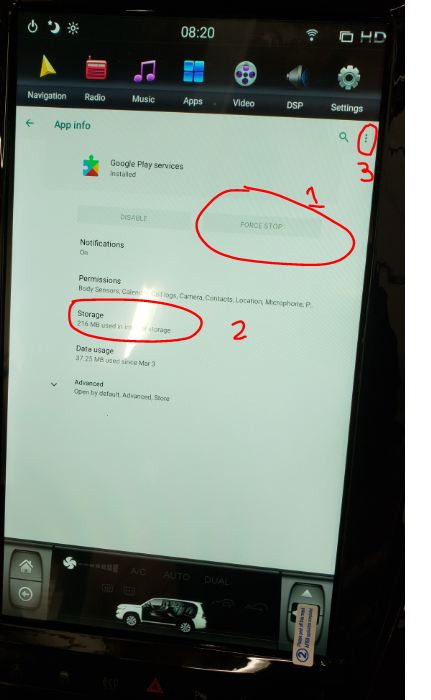
Step 1 (Force Stop App)
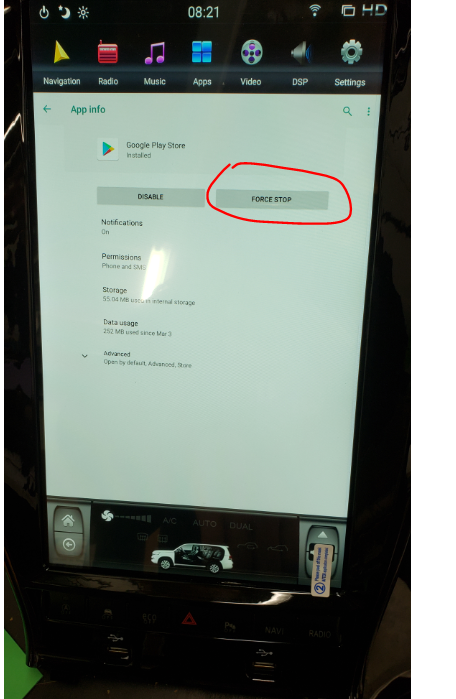
Step 2
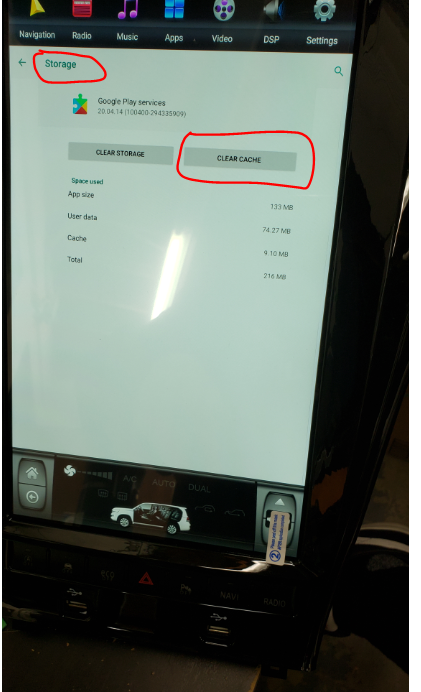
Step 3 (repeat for Google Play Services, and Google Play Store App)
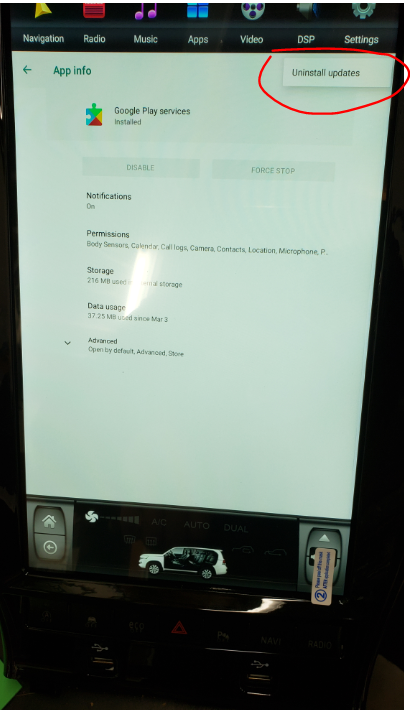
Was this article helpful?
That’s Great!
Thank you for your feedback
Sorry! We couldn't be helpful
Thank you for your feedback
Feedback sent
We appreciate your effort and will try to fix the article