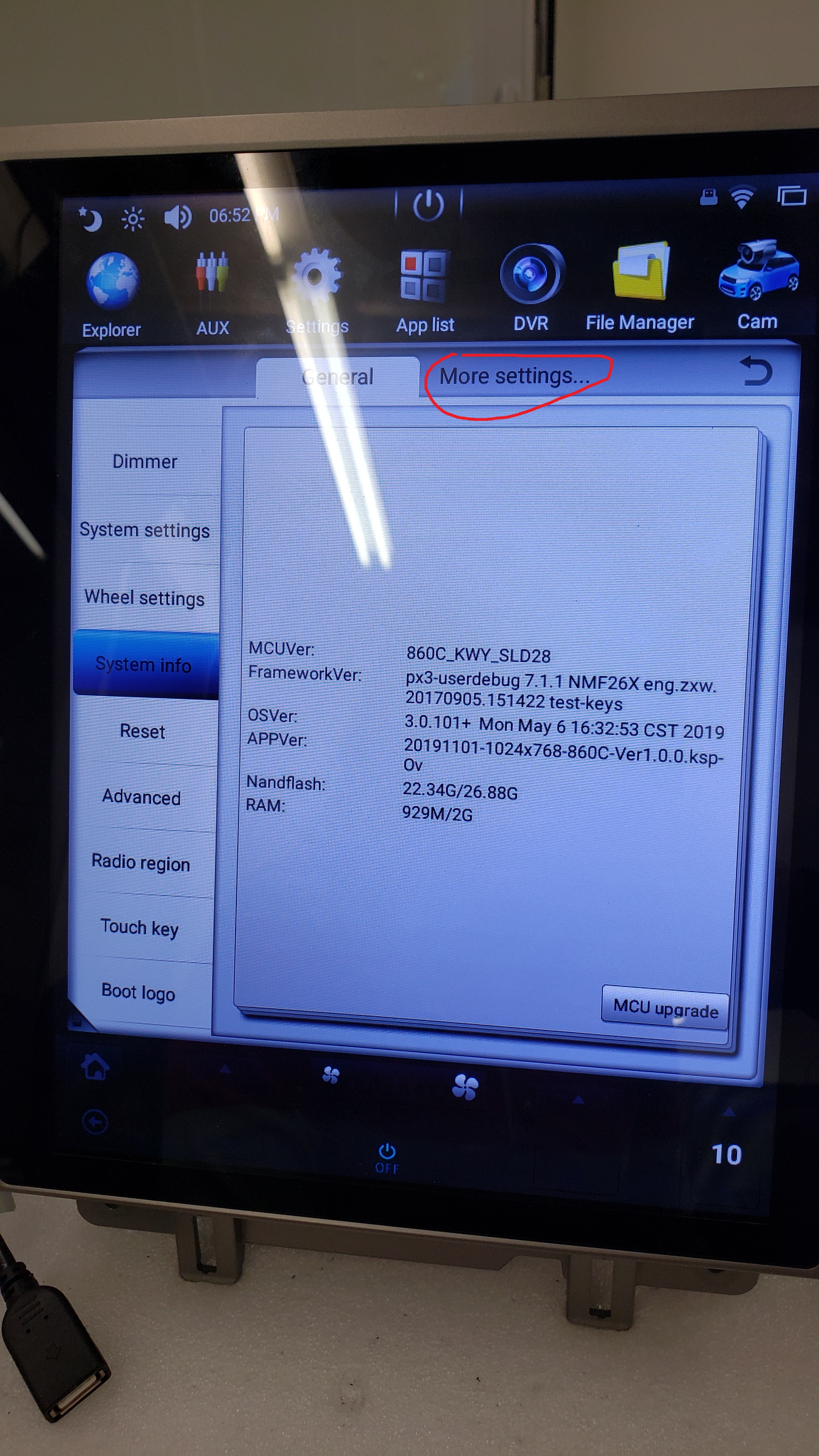
Go to setting (Gear Icon at the top, can scroll let right)
more settings (next to General)
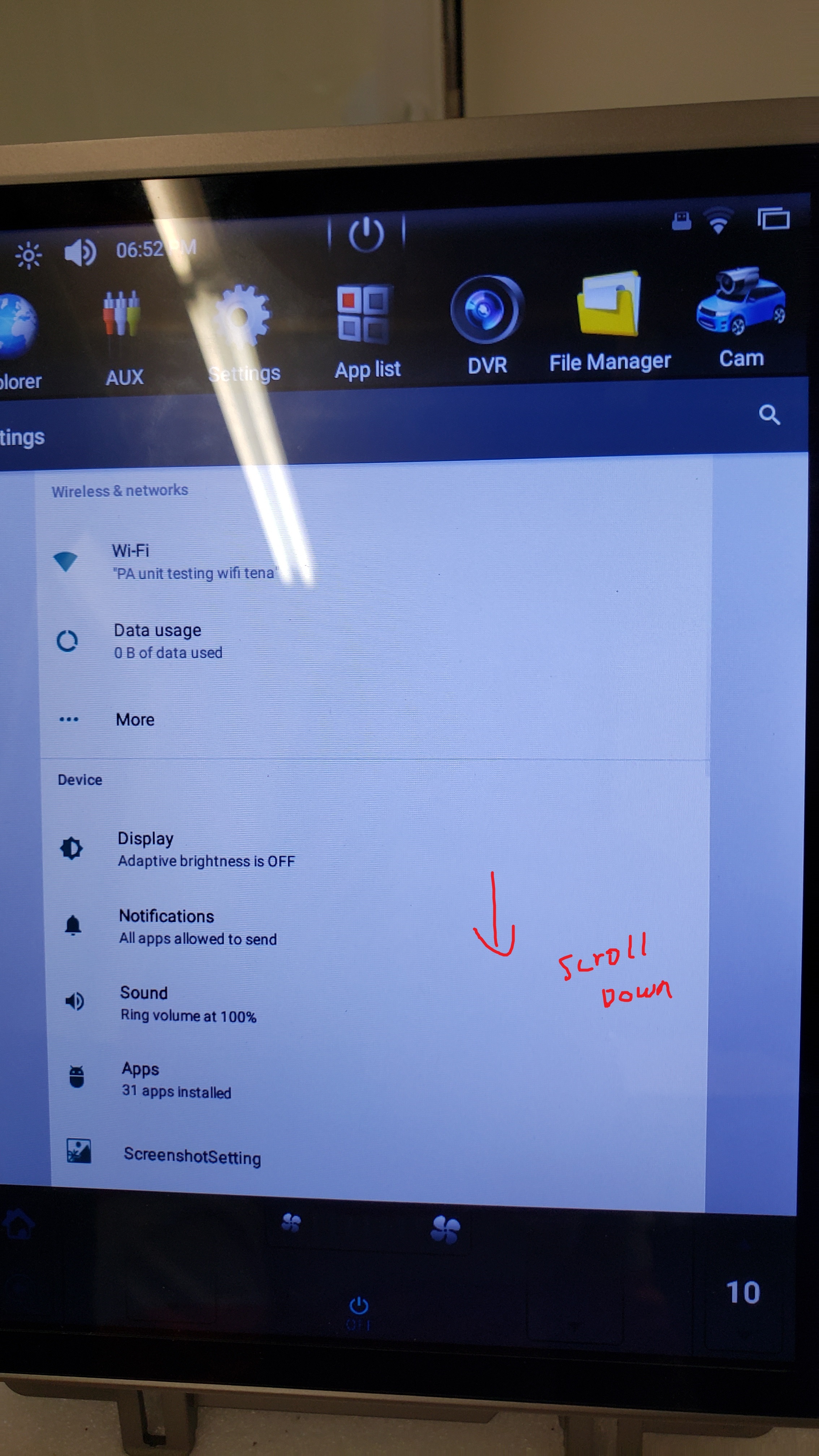
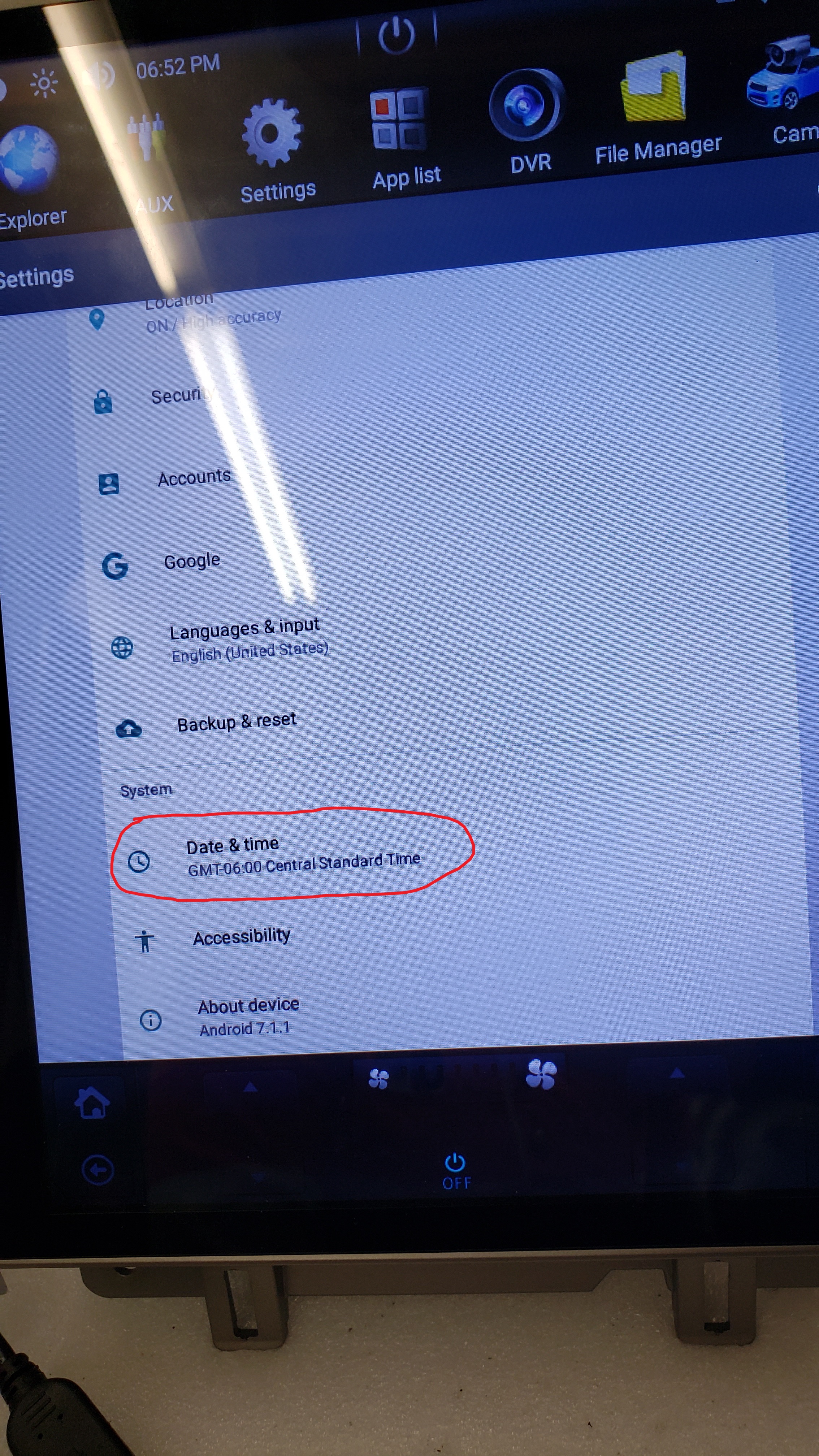
system (scroll down)
Date & Time
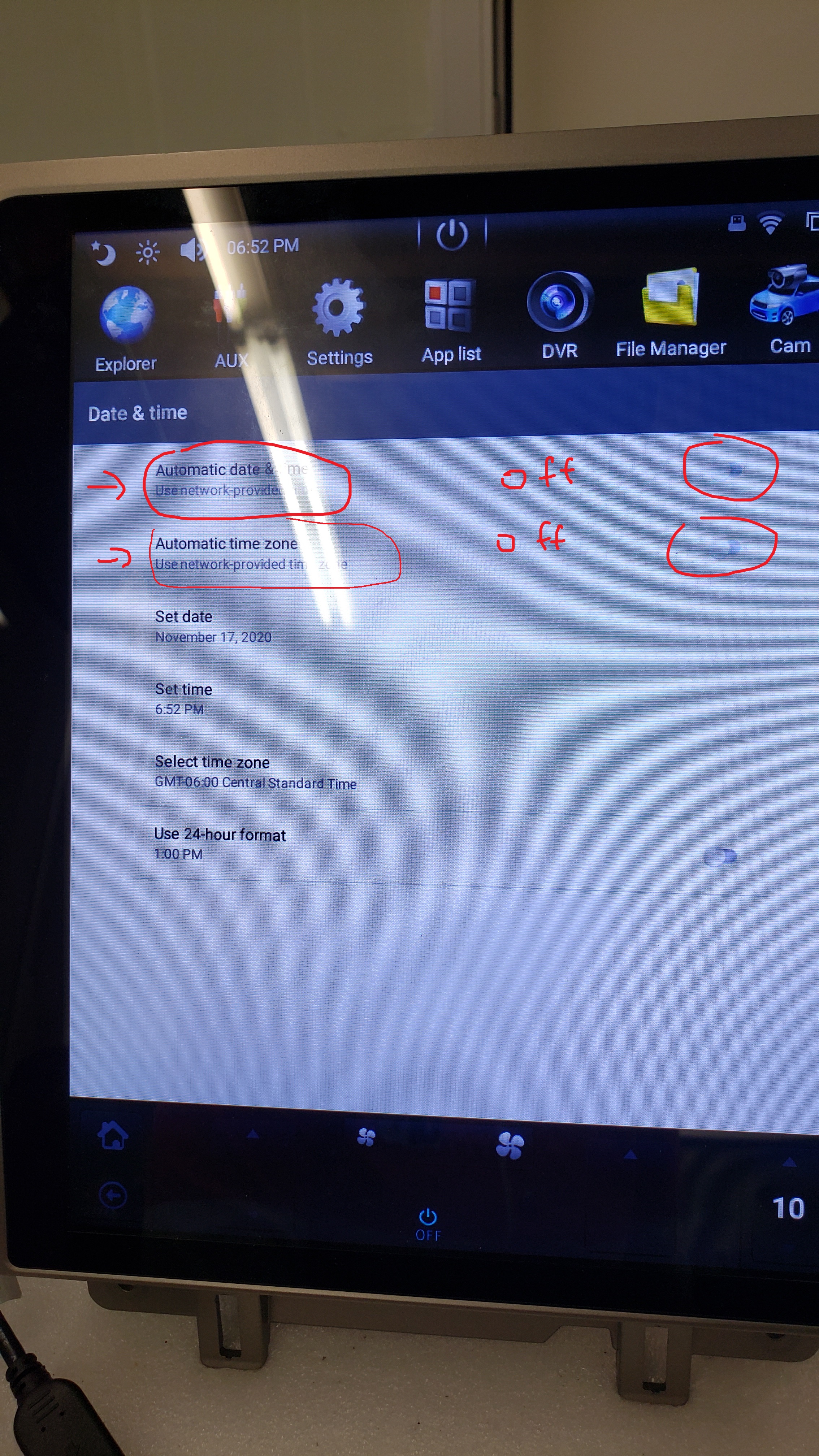
Turn Off / Remove Checkmark on the automatic Date & time and Time zone
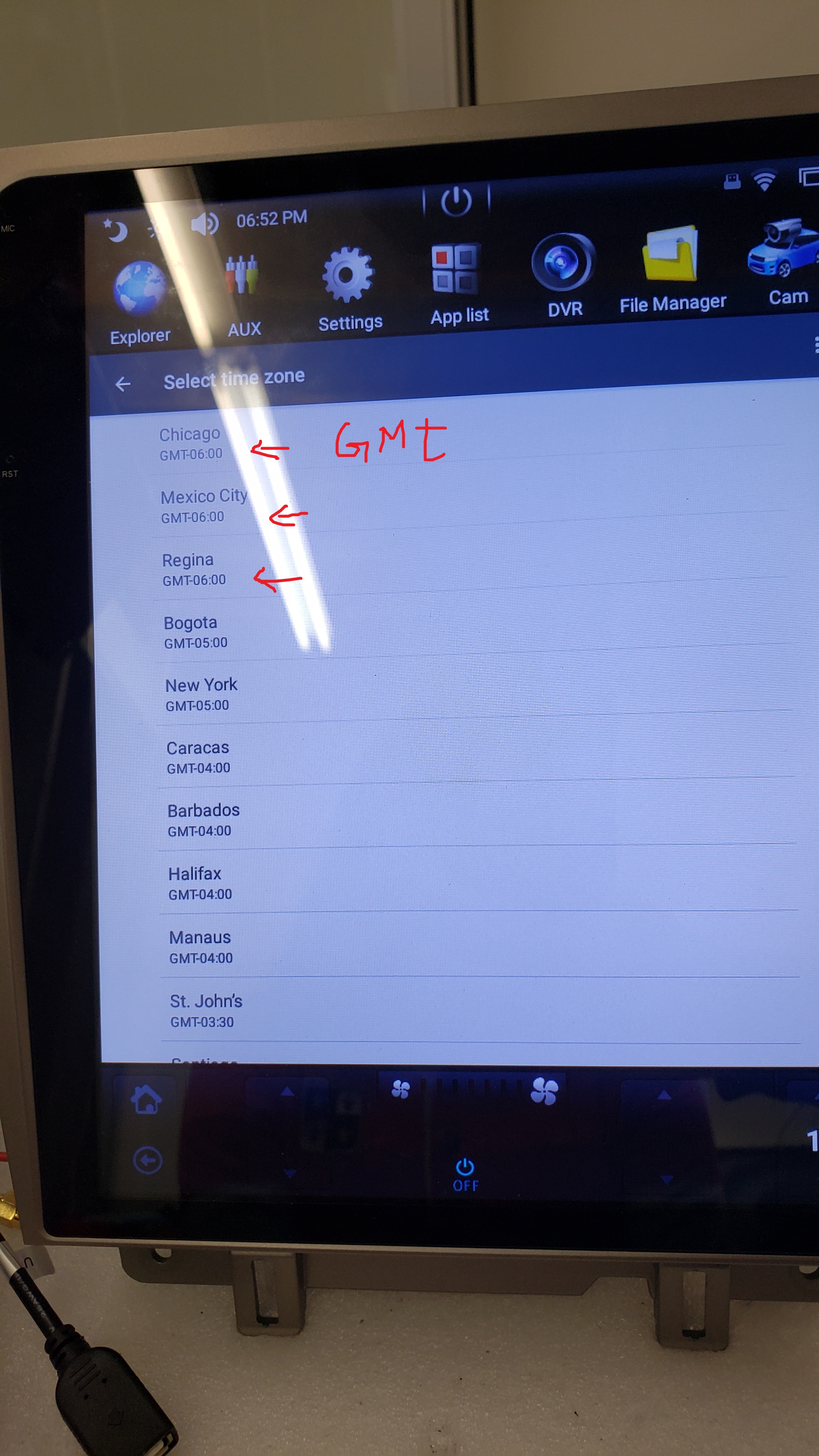
Then select the time zone which gives the right time.
If time is still changing, set Time zone to the other time zone with same GMT time.
Can scroll down to System , then Date & Time
Turn off - Automatic Date & Time
if leave option off - unit may set Time to China time if On
Choose a time zone with the same GMT # as your Location for example
California - GMT is 8
New York - GMT is 5
Was this article helpful?
That’s Great!
Thank you for your feedback
Sorry! We couldn't be helpful
Thank you for your feedback
Feedback sent
We appreciate your effort and will try to fix the article